Cursor Seat Waste & AI Coding Observability: UseJunction vs Jellyfish, DX, and LinearB
- Category
- AI SpendAI coding observabilityCursor
- Published
- Read time
- 12 min
- Written by
- Dinuda Yaggahavita
If you need org-wide visibility into Cursor, Claude Code, Copilot, and other AI coding tools — cost, seat utilization, quota pressure, and device health in one place — UseJunction is built for that job. Jellyfish, DX, and LinearB solve different problems: finance reporting, developer experience, and delivery bottlenecks. They will not answer “are we wasting Cursor Pro seats?” or “what is our AI coding stack costing per developer?”
Key takeaways
- Jellyfish, DX, LinearB, and UseJunction answer different searches. Pick the one that matches the pain.
- LinearB is for delivery bottlenecks, DX is for developer experience, and Jellyfish is for engineering-finance alignment.
- None of those three reconciles Cursor, Claude Code, and Copilot seats against real usage.
- UseJunction compares purchased seats and plan cycles to verified usage on enrolled devices, across vendors.
- Run the check before renewal: list every tool, compare seats to usage, and confirm enrollment coverage.
Nobody wakes up searching for “engineering intelligence platform.” They wake up searching because something hurts: “Why is our Cursor bill $40k?” “Are we wasting seats?” “Who’s on personal Claude keys?” “What AI tools is my team actually using?”
That last cluster — AI coding observability — is the fastest-growing search in eng leadership in 2026. It is also the one Jellyfish, DX, and LinearB were not built to own.
Why is AI coding spend so hard to see?
You rolled out AI coding tools fast. Cursor for some teams. Claude Code for others. Copilot because GitHub was already there. A few engineers on personal Max plans. Someone running Ollama locally.
Finance got the first real invoice and asked a simple question: “What are we actually paying for — and who’s using it?” Nobody had a good answer.
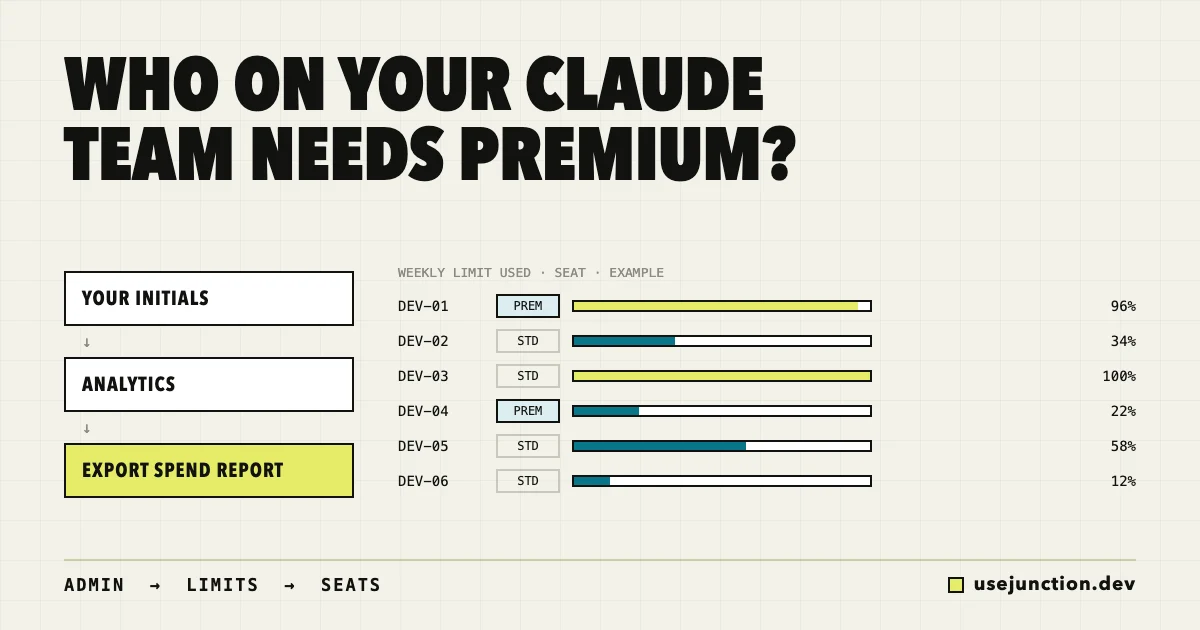
- Seat count ≠ usage. You bought 80 Cursor seats. Twelve people haven’t opened it in 30 days.
- One dashboard per vendor. Cursor admin here. Copilot billing there. Claude on a personal plan.
- Usage is variable. Agent workflows cost 10× autocomplete. Seat pricing hid that until the invoice.
- Enterprise APIs aren’t for everyone. Cursor’s Admin API is powerful — often enterprise-only.
- “No usage” might mean “not enrolled.” Admin consoles don’t see laptops that never connected.
This is what people search when they find UseJunction: how to see Cursor plan usage for my team, Cursor seat utilization, are we wasting Cursor Pro seats, AI coding tool cost monitoring.
What does UseJunction solve?

- Seat waste: purchased seats vs active usage per tool and billing cycle — see plan usage guide
- Per-developer AI spend: cost, tokens, model mix; verified vendor usage vs estimated local signals
- Multi-tool sprawl: Cursor, Claude Code, Codex, Copilot, Continue, Ollama, and more in one dashboard
- Personal vs company keys: shadow API key detection — personal keys guide
- WakaTime-adjacent intent: teams searching “open source wakatime alternative” usually need AI insights, not hours — honest positioning
Where do Jellyfish, DX, and LinearB fit?
Buyers lump “engineering visibility” into one bucket. Your Google search tells you which bucket you’re in.
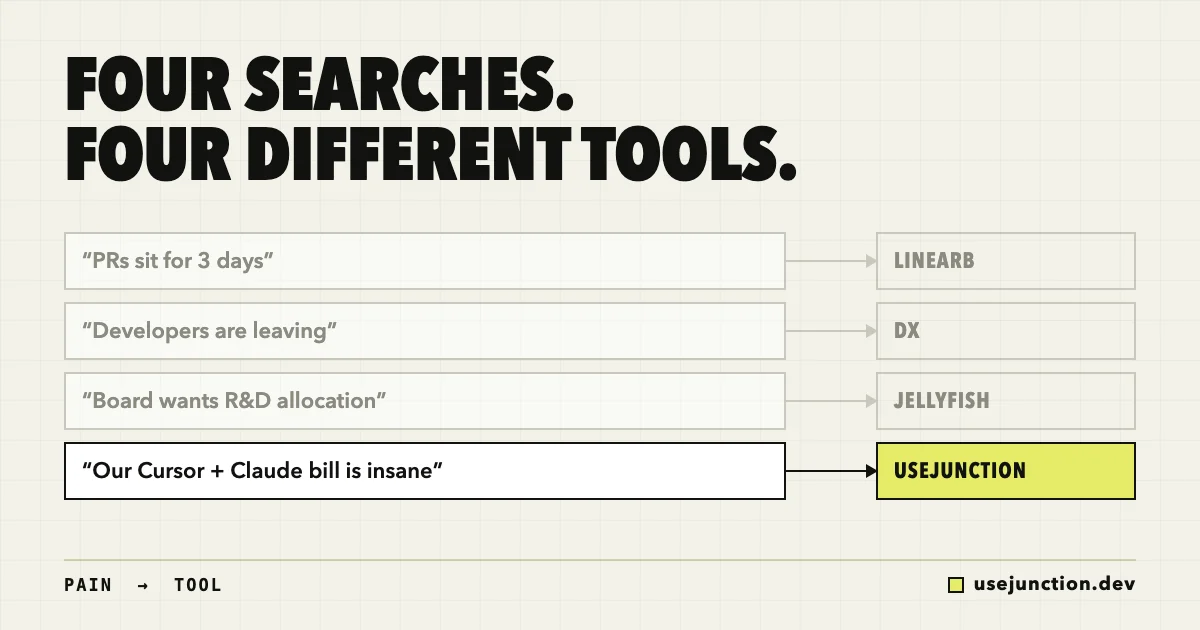
- “PRs sit for 3 days” → cycle time, PR review bottleneck → LinearB
- “Developers are frustrated and leaving” → developer experience survey, DevEx metrics → DX
- “The board wants eng investment and R&D capitalization” → engineering allocation, R&D tax credit → Jellyfish
- “Our Cursor + Claude bills are insane” → Cursor seat utilization, AI coding observability → UseJunction
Full problem-by-problem comparison — including when to stack tools.
When should you use LinearB?
LinearB is strong when shipping is stuck: cycle time by stage, DORA metrics, gitStream automation. It does not reconcile Cursor seat waste or Claude Max quotas across your org.
When should you use DX?
DX is strong when people are the problem: structured surveys, DXI, friction before attrition. It does not give finance a per-developer AI coding cost ledger.
When should you use Jellyfish?
Jellyfish is strong when finance and the board need allocation, investment narratives, and R&D capitalization. It is not a multi-vendor AI coding fleet monitor.
When should you use UseJunction?
UseJunction is strong when AI tool sprawl and spend are the fire. A local agent on each laptop reports usage signals. An admin control plane rolls up cost, plan cycles, seat waste, and device health. Self-host under the Community License.
How does UseJunction compare to vendor dashboards?
- Cursor plan usage for whole team: yes in both — UseJunction also covers Claude, Copilot, and local models
- Seat waste before renewal: partial in vendor UIs; yes in UseJunction with cycle + enrollment context
- Personal vs company keys: no in vendor UIs; yes in UseJunction
- Self-hosted / open source: no in vendor UIs; yes in UseJunction
- Keystroke / hours tracking: no — by design in UseJunction
How does UseJunction work?
- Deploy the admin control plane (hosted or self-hosted).
- Enroll developer devices with a lightweight local agent.
- See org-wide usage: tools, models, cost, plan cycles, device health.
- Act before renewal: reclaim idle seats, fix key provisioning, investigate quota spikes.
Privacy first: no keystroke surveillance, browser capture, or network interception. Optional work-detail signals can be turned off per person or team.
What should you do before your next renewal?
- List every AI coding tool you pay for (seats + usage-based).
- Ask finance what changed month-over-month — and whether anyone can explain it per user.
- Check enrollment — is “no usage” missing data or missing adoption?
- Pilot UseJunction on one team before org-wide rollout.
The teams that win this cycle aren’t the ones with the most AI seats. They’re the ones who can see seat waste, quota pressure, and spend concentration before the invoice lands.
Bottom line
Jellyfish, DX, and LinearB are excellent — for different searches. If your search sounds like Cursor seat waste, multi-tool AI spend, or plan utilization, start with UseJunction.
Frequently asked questions
How do I see Cursor plan usage for my whole team?
Enroll devices with UseJunction’s local agent. The dashboard attributes Cursor-related usage and compares purchased seats and subscription-cycle utilization across the org — not only in Cursor’s own admin view. See the plan usage guide at usejunction.dev/guides/see-plan-usage-and-waste.
Are we wasting Cursor Pro seats?
Compare purchased seats and quotas to verified usage and enrollment coverage. Idle seats on enrolled devices — and paid seats with no enrolled device — both surface as waste signals before renewal.
What is AI coding observability?
The practice of monitoring which AI-assisted coding tools a team uses, what they cost, how plan quotas are consumed, and whether devices are healthy — across vendors, in one view. UseJunction is open-source AI coding observability for teams.
How is UseJunction different from Jellyfish, DX, or LinearB?
Jellyfish focuses on engineering-finance alignment and R&D capitalization. DX focuses on developer experience and retention surveys. LinearB focuses on delivery speed and PR workflow automation. UseJunction focuses on AI coding tool cost, seat utilization, and multi-vendor fleet visibility on developer laptops.
Is UseJunction a WakaTime alternative?
Only if you need AI tool usage and plan insights, not editor time tracking. UseJunction is not a drop-in WakaTime replacement for hours-by-project metrics.
Does UseJunction spy on developers?
No keystroke logging, screenshots, browser capture, or full network interception. A local agent reports usage signals. Work-detail collection is optional and configurable per person or team.
Can I self-host UseJunction?
Yes. UseJunction runs under the UseJunction Community License. Data stays on infrastructure you control.
How is UseJunction different from Helicone or Langfuse?
Helicone and Langfuse observe application LLM traffic through gateways and traces. UseJunction observes AI coding tools on developer machines — Cursor, Claude Code, Copilot, local models. They complement each other.
See your AI coding stack as one system.
Usage, cost, plans, and seats for every developer and every tool. Self-host it or use the managed version.
Founder of UseJunction
Dinuda is building UseJunction, an open-source observability layer for the AI coding tools, models, and plans engineering teams already use. His work focuses on making fragmented AI systems visible without turning operational data into developer surveillance.